Every organization has lived with an imperfect template. A layout that never quite fits. Colors that print badly. A title area too small for real titles. People grumble, work around it, and move on. The cost is real but diffuse — a few minutes here and there, absorbed by whoever is making the deck.
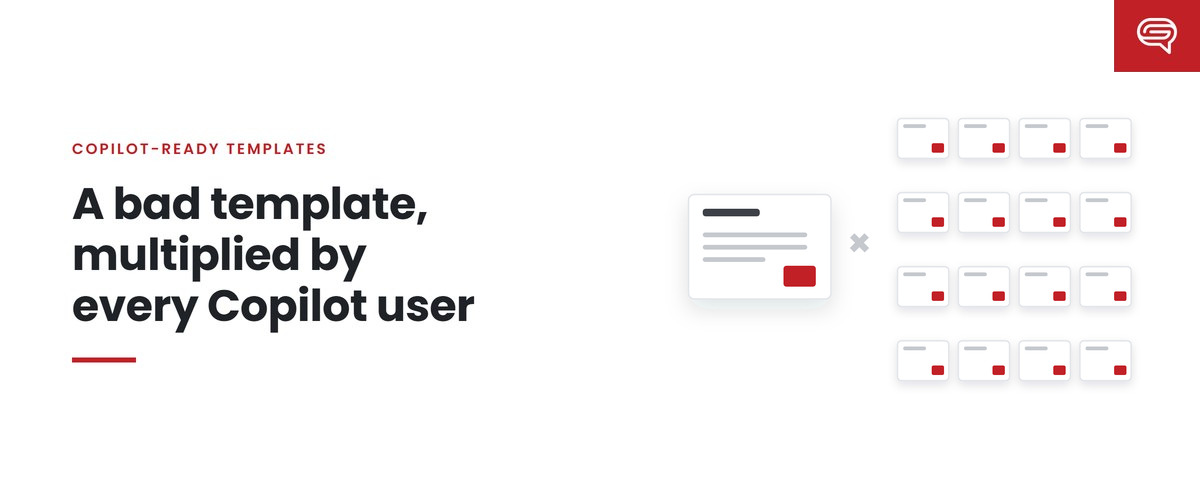
Copilot changes the arithmetic of template flaws. When a model learns from the template and generates decks for many people, a flaw is no longer absorbed by individual judgment. It’s reproduced. And the cost of a reproduced flaw is multiplied by everyone who generates a deck.
How a flaw becomes a multiplier
Consider three common template flaws and what happens to each when Copilot is involved.
Hardcoded brand colors. The template looks right because a designer painted every element. The theme underneath holds defaults. Before Copilot, people reused the painted elements and the problem was mostly invisible. With Copilot, every new chart and shape it creates takes its colors from the theme — so every generated chart can come out in default colors. Microsoft’s guidance is specifically to define brand colors and fonts in the theme for this reason.
No example slides. Before Copilot, a template without examples was merely less helpful. With Copilot, Microsoft states that without enough sample slides it “falls back to the Slide Master — which may result in less optimal output.” Every generated deck inherits that fallback.
A missing layout. Before Copilot, someone who needed a comparison layout that didn’t exist built one by hand. With Copilot — especially with strict brand adherence, which restricts it to approved layouts — comparisons get forced into whatever layout exists, in every deck that needs one.
In each case, a flaw that once cost a few minutes per affected deck now affects every deck Copilot generates for that kind of content.
Thinking about the multiplied cost
We won’t put a dollar figure on this, because it depends entirely on your organization, and we don’t publish numbers we haven’t measured. But the structure of the cost is simple enough to estimate with your own inputs:
Cost of a template flaw = extra fix-up time per affected deck × number of affected decks × loaded hourly cost
Two things make this larger with Copilot than without:
- More affected decks. Generated decks are produced faster and by more people, so more of them pass through the flaw.
- Fixes don’t stick. When a person fixes a generated slide by hand, the template isn’t changed. The next generated deck has the same problem. The fix-up cost recurs every time.
There’s also a cost that doesn’t appear in hours: decks that go out with the flaw unfixed. Most generated decks never pass through a brand team. A flaw that people don’t bother fixing reaches meetings, clients and partners.
Why the fix is cheap by comparison
Here’s the other side of the multiplier. If a flaw’s cost is multiplied across every generated deck, so is the benefit of fixing it.
Moving brand colors into the theme is done once. Every future generated chart benefits. Adding a well-designed comparison layout and example is done once. Every future comparison benefits. Writing a note instruction or Brand Skill rule for a recurring problem is done once. Every future deck is guided by it.
That’s the fundamental economics of a Copilot-ready template: the cost of fixing the system is paid once, and the benefit is collected on every deck. The same effort spent fixing individual generated decks is paid again and again, and collects nothing beyond the deck in front of you.
How to find your multiplied flaws
- Run a fixed set of realistic prompts against your current template — the kinds of decks your people actually make.
- Score the output for how much fixing it needs, from usable as generated to rebuild.
- Tag the reason for each fix: technical, brand, hierarchy, structure, density, visualization and so on.
- Look for repetition. Any fix that appears across many decks is a multiplied flaw — and a candidate for fixing once in the template.
- Fix the biggest one, rerun, compare.
A useful habit is to keep a short list of the top three multiplied flaws at any time, and work down it.
The leadership question
For a marketing or brand leader, the question isn’t “is our template perfect?” None is. It’s: “which of our template’s flaws are now being multiplied, and what would it take to fix them once?”
Usually the answer is a handful of structural problems — theme, placeholders, missing examples, missing layouts — that can be fixed in a focused piece of work. Left alone, they cost a little on every deck, indefinitely.
Common questions
How do we know which flaws are being multiplied?
Run a fixed set of realistic prompts, score the output and tag the reason for each fix. Any fix that recurs across many decks is a multiplied flaw.
Are some flaws worse than others?
Flaws that affect common deck types matter most, because they’re multiplied most. A flaw in a layout used once a month matters less than one in the everyday content layout.
Can Brand Skills fix template flaws?
Rules can reduce some problems, such as density or titles. They can’t fix a theme without brand colors, a missing layout or missing examples. Those need template work.
Key takeaways
- Before Copilot, template flaws were absorbed by people’s judgment; with Copilot, they’re reproduced.
- Hardcoded colors, missing examples and missing layouts become multipliers across every generated deck.
- The cost of a flaw is extra fix-up per deck × affected decks × hourly cost — and hand fixes don’t stick.
- Fixing the template is paid once and collected on every future deck.
- Find repeated fixes in generated output; those are your multiplied flaws.
Want to find the flaws your template is multiplying? Have your template scored.**
Related reading
- Your template is now the ceiling on every deck your company makes
- Seat depth: why your savings depend on who has a license
- Where the savings in generated decks come from, and where they leak
Sources
- Microsoft Support, Keep your presentation on-brand with Copilot (July 2026)
- Microsoft Support, Manage template settings in your Brand Kit for Copilot in PowerPoint (August 2026)