Designers are used to designing slides for an audience of people. Example slides in a Copilot template have a different audience: a model that will study them and then generate thousands of slides in their image.
Microsoft’s guidance describes sample slides as the primary way Copilot learns from a template, and warns that without enough of them, Copilot falls back to the Slide Master. So example slides are no longer decoration at the back of the template file. They are the teaching material. This post is about designing them to teach well.
What an example slide teaches
When a person looks at an example slide, they see one slide. When Copilot learns from it, it picks up a set of patterns:
- Structure: which layout serves which kind of content.
- Density: how much content belongs on this kind of slide.
- Hierarchy: what is most prominent, and what is secondary.
- Visual language: how color, typography, imagery and icons are used.
- Content patterns: how titles are phrased, how long bullets are, how data is labeled.
Every one of those is learned whether you intended to teach it or not. That is the central discipline of designing examples: every detail is a lesson.
Six properties of a good example slide
1. One clear purpose
Microsoft recommends slide types “with a clear, recognizable purpose” and complete, end-to-end layouts that demonstrate “a single, clear use case.” An example that tries to show a comparison, a statistic and a process at once teaches a muddled pattern. One job per example.
2. Realistic content
“Lorem ipsum” and “Insert text here” teach nothing about what real content looks like — its length, its tone, its structure. Example text should read like real slide copy: real-length titles, real-length bullets, plausible labels.
3. Durable content
This rule is easy to miss. Generative models can reproduce example content closely. A market statistic in an example slide — “The market will grow 14% by 2028” — can surface, near-verbatim, in someone’s generated deck about something else entirely. A figure that was harmless as filler becomes a false fact in a real presentation.
So example content should be realistic but durable: things that are true about your organization for years and harmless if copied, or clearly generic structure. No market statistics, no dated figures, no customer names, no forecasts. If an example needs numbers to demonstrate a chart, use obviously illustrative round figures and label them as such — and test whether Copilot copies them.
4. Good judgment, visible
The most important element should be the most visible one. The reading order should be obvious. Whitespace should be deliberate. This is where design quality translates directly into output quality: Copilot learns emphasis from examples that show good emphasis.
5. Correct construction
Examples must be built on the template’s layouts, with content in real placeholders and colors and fonts from the theme. An example with a hand-drawn text box or a hardcoded color teaches that shortcut. Microsoft’s guidance about placeholders, overlap and decoration applies to examples as much as to layouts.
6. Representative, not aspirational
The temptation is to fill the template with showpieces — the most beautiful slides the brand has ever made. But Copilot will mostly generate everyday slides: updates, explanations, summaries. Examples should reflect what your people actually need to make, at the quality you want them made. A set of award-worthy keynote slides teaches a model very little about a quarterly operations update.
Covering the set
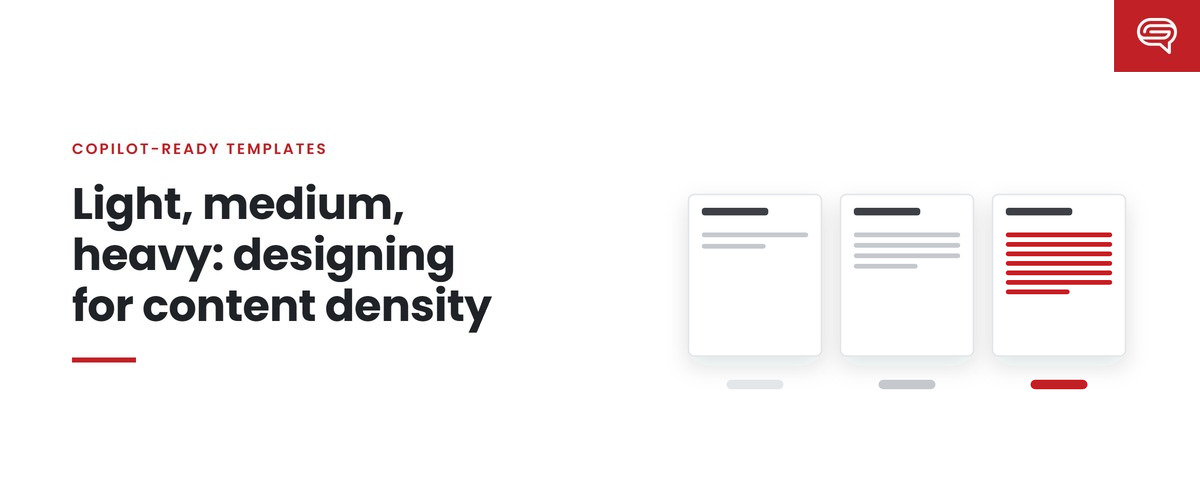
Microsoft’s guidance lists the slide intents templates usually need — title, agenda, section divider, content, data visualization, timelines, processes, lists, quotes, Q&A, summary, conclusion, closing — and asks for light, medium and heavy densities, plus examples of how the brand uses color, typography, imagery and data.
In practice we plan the set as a grid: slide intents down one side, densities across the top, and a mark in each cell your organization actually uses. Each marked cell needs an example. Unmarked cells don’t — adding examples nobody needs dilutes the lesson.
Common mistakes
Too many covers. Templates often carry a dozen cover variations and two content slides. Copilot learns that the brand is mostly covers.
Near-duplicates. Three versions of the same comparison with trivial differences leave Copilot choosing arbitrarily.
Instruction slides. “How to use this template” slides are examples too. Microsoft recommends keeping instructional content outside the template.
Sparse idealism. Every example is a single elegant headline. Copilot never sees a slide carrying real content, so it has no model for density.
Stale content. Examples that mention last year’s strategy, retired products or former executives. Copilot may carry them into new decks.
Test what the examples teach
Examples are a hypothesis: “if Copilot learns from this, it will produce slides like this.” The only way to check is to run a fixed set of realistic prompts and look at the output.
Look specifically for:
- copied content — phrases or numbers from examples appearing in unrelated decks;
- wrong generalization — a pattern from one example applied where it doesn’t fit;
- missing coverage — content forced into layouts meant for something else;
- density drift — slides consistently fuller or emptier than the examples.
When you find a problem, fix the example that taught it, not the generated slide. Then rerun the same prompts and compare.
Who should design them
Example slides are design work of a specific kind: part art direction, part information design, part teaching. They should be designed by experienced presentation designers and approved by whoever owns the brand. They should not be generated by Copilot and tidied up — that teaches the model its own habits.
Key takeaways
- Example slides are Copilot’s primary teaching material; every detail is a lesson.
- Good examples have one purpose, realistic and durable content, visible judgment, correct construction and everyday relevance.
- Never put statistics, dates, forecasts or customer names in example copy — models can reproduce it.
- Plan the set as a grid of real intents and densities, and avoid covers, duplicates and instruction slides.
- Test what the examples teach, and fix the example, not the output.
Want example slides designed to teach? Have your template scored.**
Related reading
- How many example slides does a Copilot template need?
- Light, medium, heavy: designing for content density
- Name every layout for its job
Sources
- Microsoft Support, Keep your presentation on-brand with Copilot (July 2026)