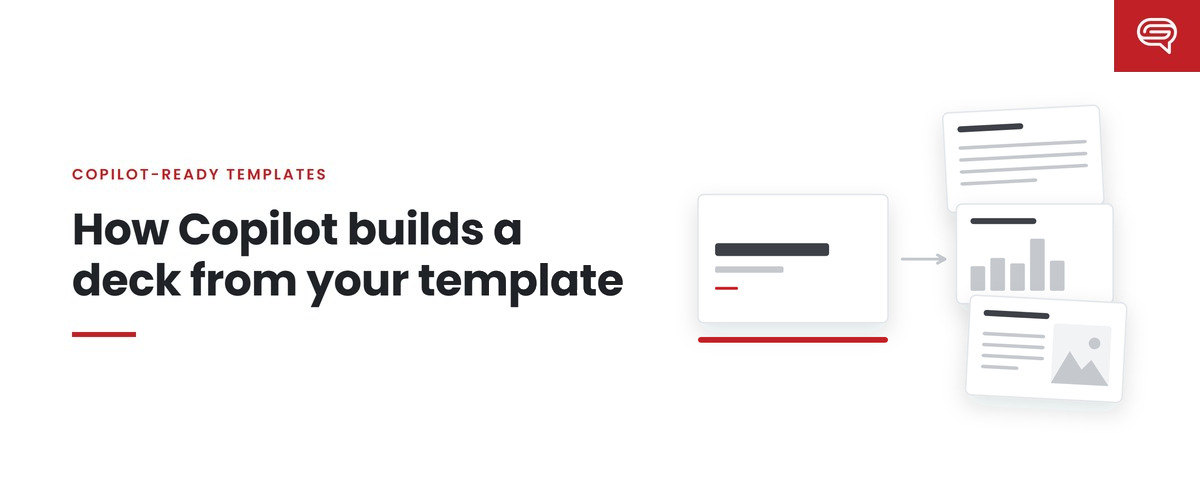
How Copilot builds a deck from your template

When a brand team first sees Copilot generate slides “in their template,” the reaction is usually one of two things. Relief, because the colors and logo are right. Or confusion, because the slides are clearly in the template and yet look nothing like the decks the team actually makes.

Both reactions come from the same misunderstanding. Copilot does not copy a template. It learns from one. And a template built for people to use by hand often has very little in it for a model to learn from.

This post walks through what Copilot actually reads when it builds from your template, using Microsoft’s own guidance, and what that means for how templates should be built from now on.

A template has three layers, and Copilot uses all of them

Think of a PowerPoint template as three layers stacked on top of each other.

The theme sits at the bottom. It defines your theme colors and your heading and body fonts. Anything that references the theme — a chart, a shape, a table, a text style — picks up those definitions automatically.

The Slide Master and its layouts sit in the middle. The Slide Master is the top slide in Slide Master view, and anything defined on it is inherited by the layouts beneath it. Each layout is a reusable arrangement of placeholders: a title here, a picture there, a body area on the right.

The sample slides sit on top. These are real, finished slides built on those layouts, showing how the brand is used in practice.

Copilot draws on all three. But not equally.

Sample slides are the main teaching material

Microsoft’s guidance is unusually direct on this point. It recommends that templates include representative sample slides across the kinds of slides your organization actually makes — title, agenda, section dividers, content slides with text, icons and images, data visualization, timelines, processes, quotes, summaries and closing slides — and that those examples show different amounts of content: light, medium and heavy.

It also says what happens when those examples are missing: “If your template does not contain enough sample slides, Copilot falls back to the Slide Master — which may result in less optimal output.”

That sentence explains a lot of disappointing Copilot output. The template has forty beautifully named layouts and not a single finished example. Copilot has the architecture but not the behavior. It knows where a title goes. It has no idea how your company uses a two-column comparison, how dense your data slides usually are, or when you use a full-bleed photograph.

A useful way to think about it: layouts tell Copilot what is possible. Sample slides tell it what is normal.

Placeholders tell it where things go, not what to say

The second thing Copilot reads is placeholders. Microsoft’s documentation says Copilot “uses placeholder type, position, and size to determine what content should be generated and where it should appear.” It also says Copilot does not rely on the wording inside a placeholder to understand what the layout is for. Placeholder text is styling only.

Two practical consequences:

  1. Text boxes are invisible as structure. If your layouts use drawn text boxes instead of real placeholders, Copilot cannot treat them as slots to fill. Microsoft recommends text placeholders instead of text boxes, inserted through Slide Master > Insert Placeholder.
  2. Instructions typed into placeholders do nothing. “Insert key message here, max 12 words” is a note for a human. Copilot will not read it as a rule. If you want to give Copilot instructions, there are now proper places for them — speaker-note instructions and Brand Skills — which we cover in their own posts.

Placeholders also need room to work. Microsoft advises keeping them non-overlapping and not placing decorative elements over text or image areas. A layout where the photo placeholder sits under a decorative shape might look fine when a designer fills it carefully. When a model fills it, the result is often a clipped image or text colliding with artwork.

The theme carries your brand into everything

The third input is the theme. Microsoft recommends defining your colors through Slide Master > Colors > Create New Theme Colors, and your heading and body fonts in the theme, rather than formatting things by hand.

This matters because Copilot generates new objects — charts, shapes, text — that did not exist in your template. The only way those new objects can come out in your brand is if they inherit it from the theme. A color that is hardcoded onto one shape in one layout teaches Copilot nothing about when to use that color elsewhere.

Hardcoded colors are a common problem in corporate templates. The template looks right because a designer painted every element by hand. The theme underneath is generic.

Where the Brand Kit comes in

If your organization uses Brand Kit, the template is uploaded there by a brand manager (as a .potx or .pptx file), alongside your colors, fonts, logos and approved imagery. When employees select that brand kit in the Copilot pane, Copilot works from the kit’s approved templates and assets.

Since September 2026, brand managers can also turn on strict brand adherence, which restricts Copilot to your approved template and slide master layouts, with no new layouts and no added or removed placeholders. Employees cannot override it.

That is a powerful control, and it raises the stakes on everything above. With strict mode on, Copilot cannot improvise its way around a weak layout. Whatever the template gets wrong, every generated deck gets wrong too.

What this means for how templates are built

For most of the history of corporate templates, the audience was a person: someone who opened the file, picked a layout, and used judgment to fill it in. Weaknesses in the template were absorbed by that person’s judgment.

Now there is a second audience that has no judgment of its own to fall back on. It learns from what is in the file, and it applies what it learned at a scale no design team could review. So the questions a template owner should ask have changed:

  • Does every slide type we actually use have a finished example, at more than one density?
  • Is every content area a real placeholder, sized and positioned for the content it will receive?
  • Does every color and font come from the theme, rather than from hand formatting?
  • Would a model looking at our examples learn how we communicate, or only what our logo looks like?

None of these are exotic. They are the same things a careful designer has always cared about. The difference is that they used to be nice to have, and now they determine the quality of every deck your employees generate.

Key takeaways

  • Copilot learns from three layers: sample slides, placeholders and the theme.
  • Sample slides are the primary teaching material. Without enough of them, Copilot falls back to the Slide Master.
  • Placeholders define where content goes, not what it says. Placeholder wording is ignored as instruction.
  • Theme colors and fonts are the only way new objects Copilot creates can come out in your brand.
  • Strict brand adherence makes the template a rule. That rewards good templates and multiplies the cost of weak ones.

Curious what your template is teaching? Have your template scored.**

Related reading

Sources

What Copilot in PowerPoint can actually do in 2026

Most of what has been written about Copilot in PowerPoint falls into one of two camps. One says it will make every deck for you. The other says it produces generic slides nobody would present. Neither is a useful basis for a decision, and neither describes what the product does today.

This guide is the version we give clients: what Copilot in PowerPoint does, what it depends on, and where a person still has to step in. Every capability below is drawn from Microsoft’s own documentation, linked at the end, as of September 2026. The product changes often, so check the dates.

1. It drafts a presentation from a prompt

The headline feature is still the simplest one to describe. You open PowerPoint, open the Copilot pane, and describe the presentation you want. Copilot may ask clarifying questions — who the audience is, what presentation and image style you want — and then proposes an outline. You can edit that outline before any slides are made, which is the most underused step in the whole process. A good outline is most of a good deck; a bad one produces twelve well-formatted slides of the wrong argument.

Once you accept the outline, Copilot generates the slides, and you can keep chatting with it to add, remove or rework them.

Two constraints are worth knowing before you plan around this:

  • Microsoft states plainly that the output “is AI-generated content and should be human-reviewed and edited accordingly.” That is not boilerplate. It is the correct operating assumption.
  • Only one output language is supported at a time.

2. It works from your source documents

Copilot can build from existing material rather than a blank prompt. Microsoft documents support for referencing files — a Word document under 24 MB, for example — and images from those documents are used where available. In the newer Agent Mode experience, Microsoft lists file referencing as “coming soon,” so the exact path depends on which experience your organization has.

In practice this is where most of the value sits. Very few corporate decks start from nothing. They start from a report, a plan, a proposal or last quarter’s version. Turning that material into a structured first draft is exactly the kind of work Copilot is suited to.

3. It follows your template — to the degree your template teaches it

This is the capability that matters most to a brand or creative team, and the one least understood.

Microsoft recommends starting from your organization’s standard template so the theme and design carry through. But Copilot does not simply copy the look of a template. It learns from it. Microsoft’s guidance is explicit about what it learns from:

  • Sample slides are the primary teaching material. Microsoft recommends representative examples across the slide types you actually use — title, agenda, section divider, content, data, timelines, process, quotes, summary and so on — at light, medium and heavy content densities.
  • Placeholders tell Copilot where content goes. It uses the placeholder’s type, position and size. It does not read the words inside a placeholder as instructions.
  • Theme definitions — theme colors and heading and body fonts — carry your brand into everything Copilot generates.

And one sentence from Microsoft’s documentation deserves to be on every brand team’s wall: “If your template does not contain enough sample slides, Copilot falls back to the Slide Master — which may result in less optimal output.”

In other words, Copilot’s output is capped by the quality of the template it is given. We come back to this idea often in this series, because it changes who is responsible for the quality of your company’s decks.

4. It uses your Brand Kit

A Brand Kit is a central collection of your brand assets inside the Microsoft Copilot app: logos, color palettes, fonts, approved imagery, templates, and even brand voice and photography guidance. When someone selects a brand kit in the Copilot pane before prompting, Copilot uses that kit’s approved templates, colors, fonts and assets.

Official Brand Kits — the ones shared with the whole organization — can only be created and edited by people your IT team designates as brand managers. That is deliberate. It puts control of what Copilot treats as “the brand” in the hands of a named owner.

5. It can be locked to your approved layouts

In September 2026, Microsoft added two template settings to Brand Kit:

  • Strict brand adherence. When it is on, Copilot uses only your approved template and slide master layouts. It cannot add or remove placeholders or invent new layouts. When it is off, Copilot may reuse some of your layouts or “get more creative,” while still applying your colors, fonts and assets.
  • Note instructions (notes steering). Brand managers can write plain-language instructions in a template’s speaker notes — “Always include this cover slide,” “Don’t modify this slide,” “Keep the text minimal” — and Copilot follows them.

Only the Brand Kit owner or a brand manager can change these settings, and employees creating presentations from the template cannot override them.

This is a significant change. Before it, a template was a suggestion. Now it can be a rule. That makes the template far more powerful, and it makes a weak template far more expensive, because every employee is now held to it.

6. It can follow written rules: Brand Skills

Also in September 2026, Microsoft began rolling out Brand Skills: brand managers can upload instructions as Markdown files to Brand Kit and publish them to the organization, so Copilot in PowerPoint follows them when creating presentations. Think of it as your presentation standards written in a form the model reads. Microsoft is clear that this is not switched on automatically — someone has to write, test and publish the skill — and it recommends governance review and periodic audits of published skills.

What it cannot do for you

Knowing the limits is what separates a useful rollout from a disappointing one.

  • It cannot decide what you are trying to say. Copilot will structure the material you give it. It will not tell you that the real recommendation is buried on slide nine, or that the audience needs the conclusion first.
  • It cannot fix a template that teaches the wrong thing. Hardcoded colors, text boxes instead of placeholders, no example slides — Copilot inherits all of it.
  • It cannot guarantee brand conformance. Strict mode constrains layouts; it does not make a generative model deterministic. Review still matters, especially for customer-facing and executive work.
  • It does not remove the need for judgment on the decks that matter. A board presentation, a keynote, a pitch — the stakes are not in the formatting.

What this means for your team

The practical shift is this: for routine internal decks, the person doing the work is increasingly Copilot, and the thing directing it is your template, your Brand Kit and your written rules. The quality of those three assets now sets the floor and the ceiling for thousands of presentations you will never see.

That is why we think the most important Copilot decision a brand team makes is not which prompts to teach people. It is whether the template is built for a model to learn from, rather than only for a person to use.

Key takeaways

  • Copilot drafts decks from prompts and from source documents, and you can shape the outline before any slides exist.
  • It learns from your template’s sample slides, placeholders and theme — and falls back to the Slide Master when examples are missing.
  • Brand Kit, strict brand adherence, notes steering and Brand Skills give brand managers real, central control over what Copilot produces.
  • Microsoft’s own position is that output should be reviewed by a person. Plan for that.

Want to know how your current template would teach Copilot? Have your template scored — we review it against Microsoft’s published guidance and tell you where it stands.

Sources

Why Every Company Needs a Presentation Infrastructure (Not Just Better Slides)

Most organizations believe their presentation problem is a design problem.

When presentations fall short, the instinctive response is to improve the slides themselves. Companies hire designers, redesign templates, and invest time polishing key decks. The assumption is simple: if the slides look better, the communication will improve.

In reality, this approach only addresses the surface of the problem.

The real issue inside most organizations is not slide quality. It is the absence of a system for creating, managing, and scaling presentations across teams.

What companies actually need is not better slides. They need presentation infrastructure.

Just as organizations rely on CRM systems to manage customer relationships or design systems to ensure product consistency, modern companies need a structured system that governs how presentations are created, shared, and used.

Without that infrastructure, even beautifully designed slides eventually break down into inconsistency and chaos.

A confident man in a suit stands in front of a diverse group of four people, all smiling, during a brightly lit office business intelligence presentation.

Presentations Are the Hidden Engine of Business Communication

Inside most organizations, presentations play a far more central role than people realize.

They sit at the intersection of nearly every important conversation. Sales teams rely on them to close deals. Executives use them to align leadership teams and boards. Founders depend on them to raise capital. Product managers use them to explain roadmaps and complex ideas.

Across departments and functions, presentations serve as the bridge between ideas and decisions.

Consider how many presentations a typical mid-size or enterprise company produces in a single year.

Sales teams deliver presentations to prospects every week. Marketing teams present campaign strategies. Product teams present roadmaps and product updates. Executives present quarterly results, company strategy, and board materials. Consultants and analysts produce presentations to communicate insights and recommendations.

When multiplied across hundreds or thousands of employees, presentations become one of the most widely used communication tools inside the organization.

Yet despite this massive reliance on presentations, very few companies manage them systematically.

Slides are created individually, stored in scattered folders, reused inconsistently, and rebuilt repeatedly.

Over time, this leads to a fragmented communication environment where each team tells a slightly different version of the company’s story.


The Presentation Chaos Most Companies Accept

If you examine the presentation landscape inside many organizations, a familiar pattern appears.

Sales teams maintain their own decks that gradually evolve independent of marketing materials. Executives often reuse older presentations, updating them manually before important meetings. Product teams develop their own slides to explain features and roadmaps.

Even when companies attempt to standardize presentations through templates, those templates often degrade over time. Employees adjust layouts, copy slides from old presentations, and modify formatting to suit immediate needs.

Within a few months, the original template becomes just another reference rather than a consistent standard.

The result is an environment where slides are constantly recreated, messaging drifts across teams, and valuable time is spent rebuilding content that already exists somewhere in the organization.

This problem is not unique to small companies. In fact, it often becomes worse as organizations grow.

The larger the company, the greater the number of presentations produced and the more fragmented the communication becomes.

The underlying issue is not creativity or design talent. It is the absence of a structured system for managing presentations at scale.


What Presentation Infrastructure Actually Means

Presentation infrastructure is the operational system that governs how presentations are created, structured, and maintained across an organization.

Rather than treating every presentation as an isolated project, companies treat presentations as components within a broader communication architecture.

This infrastructure typically includes several key elements.

First, there is a narrative framework that defines how important stories should be told. Sales presentations, investor updates, executive briefings, and product explanations each follow structured storytelling patterns that make ideas easier to understand.

Second, there is a centralized slide library. Instead of recreating charts, diagrams, and explanations from scratch, teams can access reusable slides that have already been designed and approved.

Third, there is a consistent visual design system. Typography, color usage, layout rules, and chart styles follow standardized guidelines so presentations look coherent regardless of who creates them.

Finally, governance ensures the system remains current. Slides are updated regularly, messaging stays aligned with company strategy, and teams know where to find the most current materials.

Together, these elements transform presentations from scattered documents into a scalable communication platform.


Why Templates Alone Do Not Solve the Problem

Many companies attempt to improve presentation quality by redesigning their templates.

While templates are helpful, they rarely solve the underlying problem.

Templates primarily address visual appearance. They influence how slides look but do not fundamentally improve how ideas are structured or communicated.

More importantly, templates often fail because they rely on individuals to follow them correctly. Over time, employees modify layouts, add extra elements, or merge slides from older presentations. Gradually, the template loses its integrity.

Without a broader system supporting it, even the best-designed template eventually becomes inconsistent.

Presentation infrastructure solves this problem by combining visual design with narrative structure, asset libraries, and governance.

Instead of relying on individuals to maintain consistency, the system itself supports it.


The Real Cost of Poor Presentation Systems

The absence of presentation infrastructure has measurable consequences for organizations.

The most immediate cost is time. Employees frequently spend hours rebuilding slides that already exist somewhere within the company. When multiplied across hundreds of employees, this wasted effort becomes substantial.

The second cost is inconsistency.

Different teams often present different versions of the company’s story. Sales teams may emphasize one message while marketing communicates another. Executives may reference outdated data or positioning.

This inconsistency can create confusion among customers, partners, and internal teams.

The third cost is credibility.

Presentations often shape how organizations are perceived by investors, customers, and employees. Poorly structured or visually inconsistent presentations can undermine otherwise strong ideas.

Finally, there is the opportunity cost.

Companies that communicate ideas clearly move faster. They align teams more effectively, close deals more efficiently, and make better strategic decisions.

Presentation infrastructure directly influences these outcomes.


How High-Performing Companies Approach Presentations

Organizations that treat presentations strategically approach them very differently.

Instead of allowing slides to evolve organically across teams, they design systems that support communication at scale.

These systems begin with narrative frameworks. Companies define how important stories should be structured so presentations guide audiences logically from problem to insight to conclusion.

Visual design then reinforces those frameworks. Standardized layouts ensure complex information is presented clearly and consistently.

Finally, centralized slide libraries allow teams to reuse high-quality assets rather than rebuilding them.

Over time, this infrastructure dramatically reduces friction.

Teams spend less time building slides and more time refining ideas. Messaging remains aligned across departments. Executives can focus on strategic communication rather than formatting details.

The organization communicates more effectively because the system supports it.


The Impact on Sales Performance

Sales teams benefit significantly from presentation infrastructure.

In many organizations, sales presentations evolve organically as individual representatives modify decks to suit their preferences. This often leads to inconsistent messaging and outdated information.

With presentation infrastructure, sales teams work from a unified set of materials designed to support the sales conversation.

Slides explain complex concepts clearly. Case studies remain current. Product positioning stays aligned with marketing strategy.

As a result, sales representatives spend less time building decks and more time focusing on customer conversations.

Prospects receive clearer explanations of the company’s value, improving both efficiency and conversion rates.


The Impact on Leadership Communication

Executives also benefit from structured presentation systems.

Leadership teams rely heavily on presentations to communicate strategy, report performance, and align organizations around key initiatives.

Without infrastructure, executives often rely on manually assembled decks pulled from multiple sources.

This approach increases preparation time and introduces inconsistencies in messaging.

When presentation infrastructure is in place, leaders can access structured frameworks and reusable assets that support strategic communication.

Charts, diagrams, and narrative structures are already designed and available. Leaders can focus on refining ideas rather than rebuilding slides.

This clarity strengthens both internal alignment and external credibility.


Building Presentation Infrastructure

Creating presentation infrastructure does not require a massive transformation.

Companies can begin by focusing on a few foundational steps.

First, define presentation frameworks for the most important communication scenarios. Sales presentations, investor updates, executive briefings, and product explanations should each follow structured narratives.

Second, build a centralized slide library that contains reusable assets such as diagrams, charts, process explanations, and product visuals.

Third, establish design guidelines that ensure visual consistency across presentations.

Finally, implement governance processes that maintain the system over time.

As these elements mature, presentations gradually evolve from scattered documents into a cohesive communication platform.


The Future of Business Communication

As organizations become more complex and distributed, the importance of clear communication will only increase.

Presentations remain one of the most powerful tools for communicating ideas across teams, organizations, and industries.

Yet most companies still treat presentations as temporary artifacts created for individual meetings.

The organizations that gain a competitive advantage will be those that build systems around communication itself.

Just as design systems transformed product development and CRM systems transformed sales operations, presentation infrastructure will transform how companies communicate ideas.

Slides will no longer be isolated documents. They will become components of a structured communication architecture that supports decision-making across the organization.


Moving From Slides to Systems

Improving slide design is helpful, but it addresses only part of the challenge.

What organizations truly need is a system that ensures presentations are clear, consistent, and scalable across teams.

Presentation infrastructure turns communication into a strategic capability rather than a recurring operational problem.

Companies that invest in this capability gain more than attractive slides. They gain clarity, alignment, and the ability to communicate ideas with confidence.

In a world where many of the most important decisions are made through presentations, that advantage can be transformative.

How to Use Geographic Heatmaps for Market Mapping Presentations

Market mapping presentations provide a strategic way to analyze geographic trends, customer distribution, and competitive positioning. Using geographic heatmaps in these presentations enhances clarity by transforming complex data into intuitive visuals.

With the right design approach, heatmaps make identifying high-opportunity areas, market gaps, and competitive densities easier.

Need a Presentation Designed?
Click Here To View Our Amazing Portfolio

Heatmaps in Market Mapping

Heatmaps display data intensity using color gradients, allowing businesses to visualize patterns that might not be obvious in raw datasetsz.

They are useful for sales, marketing, and expansion strategies, highlighting areas with the highest customer concentration or regions with untapped potential.

For example, a company analyzing customer demand for its product can use a heatmap to pinpoint high-concentration areas. If sales performance in a particular region is low despite strong marketing efforts, this could indicate a need for improved local engagement or distribution strategies.

Design Considerations for Effective Heatmaps

A well-designed heatmap ensures that data is clear, actionable, and not overwhelming. Market mapping presentations should focus on visual balance, color accuracy, and context-driven insights.

Color Gradients Should Be Intuitive

A clear color scale is crucial for readability.

Red-to-green or blue-to-orange gradients work well for indicating intensity levels. Avoid using too many similar shades, as this can blur distinctions between different data points.

Simplify Data Layers

While geographic heatmaps can support multiple layers, overloading them with excessive data points can reduce effectiveness. Focus on 2-3 key metrics to avoid clutter.

Use Geographic Boundaries Strategically

Depending on the industry, using zip codes, city divisions, or regional boundaries can add context.

For instance, a real estate company might map property demand by neighborhood, while a retail business may focus on customer density by city.

Contrast and Labels Enhance Readability

Labels should be strategically placed to avoid overlapping critical data points. 

Clear contrast between high- and low-intensity areas ensures easy interpretation at a glance.

Applying Heatmaps for Business Strategies

Identifying Market Expansion Opportunities

Companies looking to expand into new territories can use heatmaps to determine where demand is high but competition is low. This data-driven approach minimizes risk and maximizes resource allocation.

For example, an e-commerce brand mapping customer order locations can find underserved areas and refine its marketing or logistics strategy. Similarly, a fitness brand analyzing gym memberships can spot high-interest regions without nearby facilities, helping prioritize new openings.

Optimizing Sales and Distribution Networks

Sales teams can use geographic heatmaps to refine territory management.

A heatmap showing high lead generation but low conversion rates in specific areas could indicate issues with local sales strategies. Adjusting pricing, promotions, or sales personnel placement based on heatmap insights improves efficiency.

Retailers and product distributors can also use these visuals to fine-tune inventory allocation. If a heatmap reveals high product demand in one region but frequent stockouts, distribution plans can be adjusted to meet demand more effectively.

Competitor and Market Gap Analysis

Understanding competitor density through heatmaps allows businesses to make informed strategic moves.

A heatmap illustrating competitor locations against consumer demand can reveal market gaps—areas with strong demand but minimal competition. This helps businesses position themselves where they have the highest chance of success.

Tech startups and software providers use heatmaps to gauge market saturation before launching new solutions. Overlaying customer data with competitor presence can pinpoint underserved regions with high revenue potential.

The Value of Professional Heatmap Design

While various software tools generate heatmaps, their effectiveness depends on presentation design.

Poorly designed heatmaps can distort insights, leading to misinformed decisions. A presentation design agency ensures that heatmaps align with branding, storytelling, and audience comprehension.

Need a Presentation Designed?
Click Here To View Our Amazing Portfolio

Custom-designed heatmaps integrate seamlessly with other data visuals in market mapping presentations, making them more persuasive. Whether for investors, executives, or sales teams, clear and compelling visuals improve engagement and decision-making.

Market mapping presentations benefit significantly from well-crafted geographic heatmaps. When designed effectively, these visuals provide actionable insights that drive growth strategies, optimize sales efforts, and uncover new business opportunities.

Best Practices for Visualizing Offerings on an ‘Our Services’ Slide

An ‘Our Services’ slide must quickly communicate what a company offers while maintaining audience engagement. A cluttered or overly text-heavy can dilute the message, making it hard for potential clients or investors to grasp key offerings. A well-designed visual layout ensures clarity and impact.

Need a Presentation Designed?
Click Here To View Our Amazing Portfolio


Prioritize Simplicity in Design

Overloading the slide with excessive details can make it visually overwhelming.

Instead of listing every service with lengthy descriptions, focus on the essentials. A concise summary with clean icons or imagery makes services easier to understand.

Whitespace plays a significant role in making the slide readable. Spacing between elements prevents the slide from appearing too dense while ensuring each service stands out.

A well-structured layout also prevents viewers from skimming past key information.

Use Hierarchy to Emphasize Core Offerings

Not all services carry the same weight in a business model. Some may be foundational, while others are value-added benefits.

Establishing a visual hierarchy helps highlight the most critical services first.

Techniques such as varying font sizes, bolding key terms, or contrasting colors direct attention toward priority offerings. Grouping related services into categories can also improve organization, making it easier for audiences to follow.

Leverage Icons and Graphics for Instant Recognition

Icons are one of the most effective ways to make a ‘Our Services’ slide more digestible. 

Instead of long-winded descriptions, small and intuitive visuals can represent each offering. For example, a shield icon can symbolize security services, while a bar chart might indicate data analytics solutions.

Custom illustrations can further enhance brand identity. They allow a business to differentiate itself from competitors who might rely on generic stock icons. If custom graphics are not feasible, carefully selected high-quality visuals should align with the company’s style and message.

Opt for a Grid or Modular Layout

A structured design prevents information overload. A grid-based layout ensures equal spacing between service descriptions, maintaining visual balance. Modular formats, where each service is presented in distinct boxes, allow flexibility while keeping the slide structured.

Another effective approach is using a carousel or tabbed design in interactive presentations. This format reveals details progressively, keeping the audience engaged without overwhelming them with too much information at once.

Highlight Benefits Over Features

Simply listing services isn’t enough. Audiences want to know how these offerings add value.

Instead of a dry catalog of service names, connect each to a tangible benefit. For instance, instead of listing “Marketing Consultation,” a stronger phrasing could be “Data-Driven Strategies for Higher Conversions.”

Infographics, charts, or short case study snippets can further emphasize real-world impact. Showing measurable outcomes from past services strengthens credibility.

Maintain Consistency with the Overall Presentation Style

An ‘Our Services’ slide should align with the rest of the presentation in terms of color scheme, typography, and branding.

Inconsistent styles can disrupt flow and make the slide look disjointed. If the presentation follows a modern aesthetic with minimalist elements, the services slide should reflect that approach rather than being an outlier.

Animations or transitions should also be used sparingly. Subtle effects, like fading in service descriptions, can enhance engagement. However, excessive motion can become distracting, making the slide feel unpolished.

Make It Adaptable for Different Audiences

Different stakeholders may require different levels of detail.

A static version of the ‘Our Services’ slide may work well for a pitch meeting, while a more interactive or detailed version could be useful for prospective clients browsing a digital proposal.

A PowerPoint presentation can include expandable sections that allow deeper exploration for audiences who need more context.

Another approach is creating two variations—one for quick overviews and another with extended details for those who want further insights.

Leverage a Presentation Design Agency for Refinement

For companies that want to elevate their slide beyond standard templates, working with a presentation design agency can be a game-changer. These agencies specialize in transforming slides into compelling visual experiences while maintaining brand coherence.

A professional touch ensures aesthetic refinement and a strategic balance between clarity and impact. Whether custom-designed icons, seamless layout optimization, or interactive elements, a well-crafted services slide can elevate the PowerPoint presentation.

Need a Presentation Designed?
Click Here To View Our Amazing Portfolio

A strong ‘Our Services’ slide sets the tone for audience expectations. When executed well, it enhances credibility, fosters engagement, and ensures services are communicated with maximum clarity.

How Important Is the Team’s Story on a Seed Round ‘About Us’ Slide?

A seed round ‘About Us’ slide offers investors a first real insight into the people driving a startup. At this early stage, investors are not only evaluating the business model; they are betting on the founders and key team members to execute the vision.

A well-crafted slide that tells a compelling story can be the difference between securing funding and being overlooked.

Need a Presentation Designed?
Click Here To View Our Amazing Portfolio

Investors Buy into People Before the Product

For most seed-stage startups, traction is limited.

Investors know the product will evolve, the market will shift, and challenges will arise. What remains constant is the team’s ability to navigate uncertainty.

A strong seed round ‘About Us’ slide should convey why a team is qualified for success. Listing names and titles is inadequate. Investors want to see:

  • Industry experience — Have the founders or key executives successfully built, scaled, or exited a similar business?
  • Relevant expertise — Does the team understand their space’s technical, operational, or market dynamics?
  • Commitment and chemistry — Does the team work well together, and are they in it for the long haul?

A generic ‘About Us’ slide with a few headshots and LinkedIn URLs won’t cut it. Investors need a clear narrative that answers, “Why this team?”

The Power of Design in Storytelling

The best seed round ‘About Us’ slides balance information with visuals to create a lasting impression. Avoiding text-heavy layouts and leveraging presentation design techniques that enhance clarity and engagement ensures investors quickly grasp the team’s strengths and credibility.

Elevate the team’s key story through the following:

  • Hierarchy in layout — Highlight key individuals with different font sizes, positioning, or color emphasis.
  • Strategic visuals — Incorporate relevant images beyond headshots, such as team collaboration photos or past project logos.
  • Minimalist approach — Keep it clean and concise. Investors won’t read paragraphs, but they will absorb essential highlights if presented effectively.

Clutter weakens the team’s perception, even if their credentials are strong.

Connecting the Team to the Market Opportunity

Investors want to see alignment between the team’s expertise and the problem they are solving. An excellent seed round ‘About Us’ slide subtly reinforces this connection.

For example:

  • If launching a fintech startup, show that the team has worked at major financial institutions or built financial software.
  • For AI-based ventures, highlight expertise in machine learning, data science, or previous AI startups.
  • A health tech startup should showcase experience in healthcare, biotech, or regulatory compliance.

Alignment reassures investors that the team understands the market’s complexities and isn’t learning as they go.

Crafting a Standout ‘About Us’ Slide

Many startups fail to recognize the full potential of the ‘About Us’ slide, either overloading it with unnecessary details or underwhelming investors with generic content.

The best approach includes:

  • A brief but compelling intro that captures the team’s core strengths.
  • Concise bios focusing on relevant achievements, not lengthy career histories.
  • Strategic design elements that create a polished, professional look.

Need a Presentation Designed?
Click Here To View Our Amazing Portfolio

Hiring a presentation design agency can significantly improve the impact of this slide. These agencies specialize in structuring content, refining PowerPoint presentations, and ensuring that key investor slides convey the right message with strong visuals.

A seed round ‘About Us’ slide must convincingly establish why the founding team can execute the business vision. Thoughtful design, well-structured visuals, and professional presentation design agencies can help create a PowerPoint presentation that does more than introduce the team—it persuades investors to believe in them.

Business Intelligence Presentation: Its Role and Importance

A business intelligence presentation is not just a collection of charts and graphs—it is a strategic tool that turns complex data into actionable insights.

When designed well, it helps decision-makers analyze trends, identify opportunities, and navigate challenges confidently. Without clear and structured visuals, even the most valuable data can become difficult to interpret, leading to confusion and missed opportunities.

Need a Presentation Designed?
Click Here To View Our Amazing Portfolio

Business Intelligence in Decision-Making

Businesses generate countless amounts of information in today’s data-riched environment. However, raw data alone is not enough to drive meaningful decisions.

A business intelligence presentation organizes data into structured narratives, helping executives and teams interpret key performance indicators (KPIs) and industry trends.

Rather than relying on spreadsheets filled with numbers, well-designed presentations provide visual clarity. Graphs, heatmaps, and trend lines simplify complex datasets, making patterns easily recognizable—this allows businesses to forecast market changes, optimize operations, and align strategies with measurable outcomes.

Why Design Matters in Business Intelligence Presentations

The effectiveness of a business intelligence presentation depends on the quality of the data and how it is presented.

A cluttered or poorly structured slide deck can obscure critical insights; a well-designed presentation enhances comprehension and retention. 

Clarity and Readability

Overloading slides with excessive data points, small fonts, or too many visuals can confuse the audience.

A clean and structured design ensures that the most significant insights stand out.

Data Visualization

Choosing the type of chart or graph is crucial.

Pie charts work for proportional comparisons, line graphs for trends over time, and bar charts for category comparisons. Misused visuals can distort data and lead to incorrect interpretations.

Cohesive Storytelling

Business intelligence is not just about numbers; it’s about telling a compelling story.

A logical flow of information engages stakeholders, from background analysis to key findings.

Engagement Through Design

Colors, fonts, and layout choices influence how audiences interact with the content. A professional look, consistent branding, and well-placed emphasis points enhance credibility.

Business Intelligence Presentations in Various Industries

Different industries rely on business intelligence presentations to communicate insights effectively. Here are some examples:

  • Finance — Tracks revenue growth, investment risks, and market performance through real-time dashboards and reports.
  • Healthcare — Analyzes patient outcomes, resource utilization, and operational efficiency to improve service delivery.
  • Retail and E-commerce — Uses predictive analytics to understand customer behavior, optimize pricing, and manage inventory.
  • Technology — Monitors software performance, user engagement, and business metrics to drive product development.

These presentations enable leaders to turn data into strategic action regardless of the industry.

Elevating Business Intelligence Presentations with Professional Design

A poorly executed business intelligence presentation can dilute the value of even the most accurate data—this is where working with a presentation design agency becomes essential.

Agencies specialize in transforming raw business intelligence into high-impact PowerPoint presentations that are clear, visually compelling, and strategically structured.

A presentation design agency ensures:

  • Visual hierarchy that prioritizes key insights without overwhelming the audience.
  • Consistent branding that aligns with corporate identity.
  • Data storytelling that connects numbers with business objectives.

For companies that frequently present to investors, stakeholders, or internal teams, professional PowerPoint presentations add credibility and sophistication to business intelligence reports.

Need a Presentation Designed?
Click Here To View Our Amazing Portfolio

As decision-making becomes increasingly data-dependent, investing in refined presentation design is no longer optional—it’s a competitive advantage.

A business intelligence presentation is only as powerful as its execution. Whether for strategy meetings, financial reports, or performance reviews, the right design and visuals turn data into insights that drive business success.

How Fintech Startups Gain an Edge with Expert Presentation Design

Fintech startups operate in a fast-paced, highly competitive market. Securing funding and partnerships requires more than just a groundbreaking idea—it demands a compelling pitch deck that captures investors’ attention instantly.

Clarity and impact are non-negotiable in a business landscape where financial models, regulatory considerations, and disruptive technology converge. A well-structured, expertly designed investor presentation transforms complex data into a persuasive narrative for an impactful message delivery.

Need a Presentation Designed?
Click Here To View Our Amazing Portfolio

Clarity in Investor Presentations

Fintech solutions often involve intricate information, and investors don’t have the time to decipher convoluted slides.

A cluttered or poorly structured pitch deck can dilute even the most innovative ideas.

Expert presentation design ensures clarity by:

  • Structuring the pitch deck to create a logical flow that builds engagement.
  • Using visual hierarchy to guide the investor’s focus.
  • Distilling complex financials into digestible formats.

Apply professional design principles to simplify complex concepts without oversimplifying value propositions.

Storytelling That Resonates with Investors

Numbers alone don’t convince investors. A winning investor presentation combines data with a compelling story.

Effective pitch decks frame the startup’s vision, market opportunity, and unique value proposition in an informative and emotionally engaging approach.

Great storytelling in a pitch deck:

  • Highlights the problem clearly and why it matters.
  • Shows the startup’s solution in action with a clean, visual narrative.
  • Demonstrates traction with compelling growth metrics.

Without expert design, even a strong story can fall flat. Professionally crafted slides enhance the emotional pull by balancing text, visuals, and white space, keeping investors engaged.

Data Visualization That Strengthens Credibility

Investors must see numbers, but raw data isn’t persuasive without support. How those numbers are presented affects how investors perceive a startup’s potential.

A strong investor presentation transforms complex financials into visual insights.

Effective data visualization in pitch decks:

  • Converts spreadsheets into easy-to-interpret graphs.
  • Uses comparison charts to showcase growth potential.
  • Highlights key figures with strategic use of typography and contrast.

A startup’s financial projections, customer acquisition metrics, and revenue model should be instantly understandable. Poorly designed slides with dense tables and unreadable graphs create friction instead of confidence.

The Competitive Advantage of Expert Presentation Design

Many fintech startups enter investor meetings with PowerPoint presentations that lack polish, making it harder to stand out.

A professionally designed pitch deck signals credibility and preparedness. 

Presentation design agencies specialize in elevating these materials, ensuring they reflect the startup’s innovation and market potential.

Working with a presentation design agency provides:

  • Access to experts who understand investor expectations.
  • High-quality visuals that enhance trust and professionalism.
  • A streamlined presentation that eliminates distractions.

Need a Presentation Designed?
Click Here To View Our Amazing Portfolio

In a market where first impressions count, well-crafted pitch decks provide fintech startups with a critical advantage.

Invest in expert presentation design to increase your chance of securing funding, forming partnerships, and positioning yourself as a leader in the financial technology space.

Product Slide vs. Solution Slide: A Comparison of Pitch Deck Slides

Pitch deck slides shape how potential investors perceive a business. Among many slides in an investor presentation, the ‘Product’ slide and ‘Solution’ slide serve distinct but complementary roles.

While they address aspects of a company’s offerings, they differ in focus, structure, and impact. Understanding when and how to use each can make a significant difference in conveying a compelling narrative to investors.

Need a Presentation Designed?
Click Here To View Our Amazing Portfolio

The Purpose of a ‘Product’ Slide

The ‘Product’ slide provides a direct and detailed look at what the company is selling. It showcases the features, functionality, and technical aspects of the product.

It is particularly valuable when the product is a major differentiator, such as in deep-tech startups, SaaS platforms, or hardware innovations. Investors viewing it should walk away with a clear understanding of what the product does and why it stands out in the market.

A well-designed ‘Product’ slide typically includes:

  • High-quality visuals or mockups of the product
  • Key features that differentiate it from competitors
  • A brief explanation of how it works
  • Any patents, proprietary technology, or unique advantages

However, relying too much on a ‘Product’ slide can be a mistake. If the product is overly complex or technical, investors might lose interest. Balance detail with clarity, ensuring that even non-technical investors grasp its value.

The Role of a ‘Solution’ Slide

While the ‘Product’ slide focuses on the “what,” the ‘Solution’ slide emphasizes the “why.” It presents the problem the company is solving and positions the product as the ideal solution.

It should emotionally connect with investors by highlighting an urgent, widespread, and financially significant pain point.

Key elements of an effective ‘Solution’ slide include:

  • A clear definition of the problem, preferably with data or real-world examples
  • A concise explanation of how the product solves the problem
  • A focus on customer benefits rather than just product features
  • Testimonials, pilot results, or early traction to reinforce credibility

A strong ‘Solution’ slide helps investors see the bigger picture. Instead of just understanding what the product does, they grasp why the market needs it and how it can generate significant demand.

When to Use a ‘Product’ Slide vs. a ‘Solution’ Slide

While they serve a purpose, their placement and emphasis depend on the nature of the business and the audience.

For innovative, groundbreaking products

A ‘Product’ slide is essential when the product is a major selling point. If the innovation is so unique that its features set it apart, leading with a ‘Product’ slide can be effective.

For businesses solving well-known problems

If the company is entering a market with existing demand but providing a better solution, the ‘Solution’ slide should take precedence. Investors will first need to see why the market gap is significant before diving into product specifics.

For investor presentations with a broad audience

Some investors are product-driven, while others are more interested in market fit and problem-solving. The ideal approach is often to use both slides, ensuring they work together rather than repeating the same information.

The Impact of Presentation Design

Investors process information visually, making presentation design a crucial factor in how slides are received. A cluttered, text-heavy slide can dilute the impact, while a well-structured slide with strong visuals enhances comprehension.

A presentation design agency can refine the storytelling aspect, ensuring the ‘Product’ slide is clear and engaging while making the ‘Solution’ slide compelling and persuasive.

The right PowerPoint presentation design balances visuals and content, allowing investors to quickly grasp the most critical details without being overwhelmed.

Choosing the Right Approach for Your Pitch Deck

An effective investor presentation doesn’t rely on just one type of slide. Instead, it strategically combines multiple slides to create a compelling narrative.

The pitch deck slides should align with the company’s unique value proposition, whether emphasizing the innovation behind the product or the urgency of the problem being solved.

Need a Presentation Designed?
Click Here To View Our Amazing Portfolio

Structure the pitch deck slides to highlight the product’s capabilities and the market’s needs to maximize investor interest and increase the chances of securing funding.

Video vs. Images: Finding the Best Fit for Your ‘Product’ Slide

A well-designed ‘Product’ slide in a pitch deck can make or break investor interest. It’s the moment when your audience visualizes the solution you’re bringing to the market.

But should you use a high-quality image or a dynamic video to showcase your product? Each has advantages, and the choice depends on complexity, audience, and time constraints. Striking the right balance ensures your investor presentation is both engaging and effective.

Need a Presentation Designed?
Click Here To View Our Amazing Portfolio

When Images Work Best

Images offer clarity and immediacy. A single, well-chosen image can communicate your product’s core function without distractions.

An image is useful when your product is:

  • Straightforward and recognizable — If your product is a physical item, a high-resolution image with minimal text can be more effective than an explainer video. Investors can immediately grasp its design and usability.
  • Feature-focused — When your goal is to highlight a specific function or design element, an annotated image can direct attention exactly where you want it.
  • Time-sensitive — Investor presentations move fast. If you have limited time, an image keeps the flow uninterrupted, preventing delays caused by video buffering or playback issues.

When to Use Video on Your ‘Product’ Slide

Video adds movement, making it ideal for showcasing functionality, user interaction, or complex features that static images can’t fully capture.

A video is effective when:

  • Your product has interactive elements — If it involves software, an app, or an intricate user experience, a short demo video makes it easier to communicate real-world use.
  • You need to demonstrate a process — A manufacturing technique, a step-by-step workflow, or an automated feature is best conveyed through motion.
  • You want an emotional connection — Video storytelling can create an emotional response, making your product more memorable. A 15-second clip showing real users engaging with your product can be more persuasive than a standalone image.

Avoiding Common Pitfalls

While videos and images have advantages, misusing them can weaken your pitch deck.

Here are some ways to avoid common mistakes:

  • Overloading the slide — A cluttered ‘Product’ slide with multiple images or an overly long video can overwhelm investors. Keep it focused—one strong image or a concise, high-impact video (under 30 seconds) is ideal.
  • Ignoring technical limitations — A video that doesn’t load smoothly or an image that looks pixelated can hurt credibility. Ensure everything is optimized for PowerPoint presentations and test it on different devices.
  • Not considering investor expectations — Investors expect efficiency. If they need to watch a long video to understand the product, they may disengage. Always prioritize clarity.

Finding the Best Fit

If your product is visual and simple, an image is usually the best choice. If it requires interaction, movement, or explanation, a short video is more effective. However, some of the most impactful pitch decks combine both—an image as the main focus with a QR code linking to an optional demo video.

Need a Presentation Designed?
Click Here To View Our Amazing Portfolio

For a polished, persuasive investor presentation, working with a presentation design agency can help refine your ‘Product’ slide for maximum impact. Whether static or dynamic, the right mix of visuals ensures your message is clear, engaging, and investment-worthy.