Brand review was designed for a world where presentations were scarce and expensive to make. A few important decks came through the brand team; everything else went out unreviewed and everyone accepted the risk.
Generated presentations break that model from both ends. There are far more decks, made far faster, and many of them look finished enough that nobody thinks to ask for a review. Trying to review them all is hopeless. Reviewing none of them is how brand problems scale.
This post describes a different workflow: review less, learn more, and fix causes rather than slides.
From inspection to diagnosis
Traditional brand review is inspection: a reviewer checks one deck, marks what’s wrong, and the deck’s owner fixes it. The deck gets better. Nothing else does.
With generated decks, most problems aren’t unique to one deck. They’re patterns, produced by the system — the template, its example slides, its rules. The same missing layout produces the same forced content in every deck that needs it. The same hardcoded color produces the same off-brand charts everywhere.
So the useful kind of review is diagnosis: look at enough decks to see patterns, trace each pattern to its cause, fix the cause once, and confirm the fix worked.
Microsoft now helps with the inspection half. Its Brand Reviewer, part of Brand Kit, “identifies issues and suggests one click fixes addressing incorrect colors or fonts, misplaced or unapproved logos, off brand imagery or picture styles, layout, spacing, or alignment issues.” Encourage people to use it: it cleans up the deck in front of them. But it fixes the deck, not the reason the deck came out that way. If Brand Reviewer keeps correcting the same color on every chart, that’s a pattern pointing to the template — exactly what the workflow below is for.
The workflow
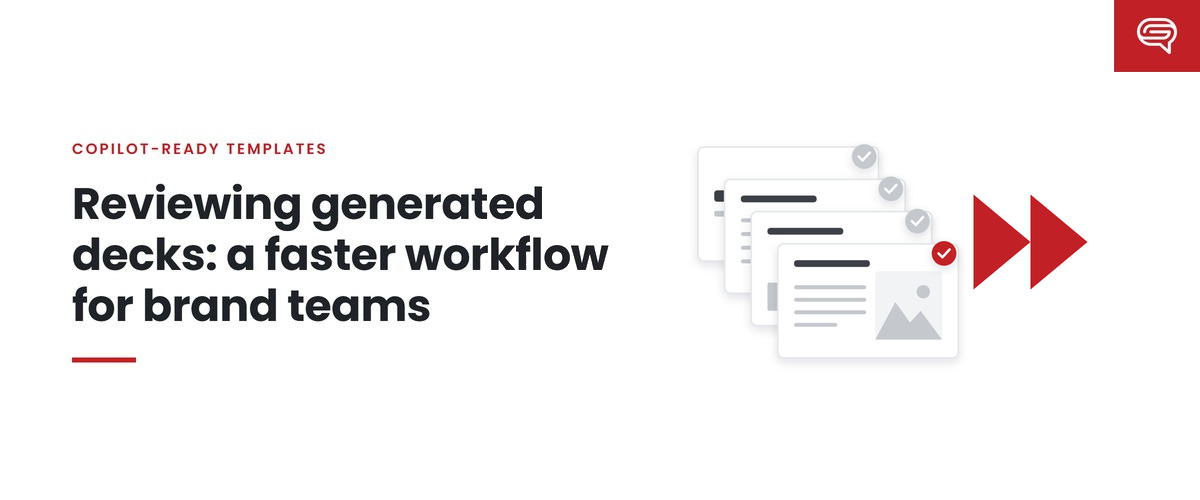
1. Sample, don’t sweep
Each review cycle — weekly during launch, monthly or quarterly once things are stable — take a sample of real generated decks. With permission, and with sensitive content handled appropriately, collect decks from different teams and different kinds of work. The goal is variety, not volume.
Alongside real decks, rerun your fixed test prompt set: the same realistic prompts every time. Real decks show what people actually ask for; the test set shows whether the system’s behavior has changed.
2. Grade readiness quickly
For each deck, a single judgment first: how much work would it need before it could be used?
- Ready — usable as generated.
- Minor corrections — cleanup only.
- Remediation — meaningful design correction.
- Reconceptualization — the structure is wrong.
This takes seconds per deck and gives you the headline: is the system producing usable decks, and is that improving?
3. Tag the failures
For decks that need work, tag why, using a short set of categories:
- Technical — overflow, cropping, content in the wrong placeholder.
- Brand — wrong colors, fonts or imagery.
- Hierarchy — the important thing isn’t prominent.
- Structure — the wrong way to communicate the content.
- Density — too much or too little.
- Visualization — weak charts or tables.
- Intent — misses the point.
- Prompt — the request was too thin.
- AI constraint — a model limit no template change fixes.
4. Count and prioritize
Tally the tags. The biggest category is usually where the next fix belongs. Technical, structure and density failures usually point to the template and its examples; brand and visualization failures to the theme, styles and Brand Kit; prompt and intent failures to employee guidance and outline habits.
5. Fix the system, once
For the top pattern, find the smallest system change that would prevent it:
- a new or revised example slide (Microsoft describes sample slides as Copilot’s primary learning source);
- a resized or retyped placeholder;
- a note instruction in the relevant template slide’s speaker notes;
- a rule in a Brand Skill;
- a correction to the theme or Brand Kit assets.
6. Verify
Rerun the fixed test prompts. Did the pattern shrink? Did anything else get worse? Keep the change only if it helped.
7. Report briefly
A few lines to whoever owns brand: readiness distribution this cycle versus last, the top failure pattern, what was changed, and whether it worked.
Where individual review still belongs
Sampling handles routine decks. It doesn’t replace individual review for:
- external, high-stakes presentations — customers, investors, boards, press;
- regulated content — anything with legal or compliance requirements;
- new use cases — the first decks of a new kind, before the system has been tuned for them.
Microsoft’s guidance is that Copilot output should be human-reviewed. For routine decks, that review belongs to the person sending the deck. For high-stakes decks, it should include people with the judgment the stakes require.
Why this is faster
The time saved doesn’t come from reviewing faster. It comes from reviewing once for many decks. Fixing a pattern in the template corrects it everywhere, including in decks the brand team will never see. Over successive cycles, the most common failures shrink, and review time moves toward the harder problems.
It also changes what the brand team is known for. Instead of being the bottleneck that sends decks back, it becomes the team that makes everyone’s generated decks better without being asked.
Common questions
How many decks should we sample?
Enough to see patterns across different teams and deck types, and few enough that the review actually happens. Variety matters more than volume. Keep the fixed test prompt set alongside, so you can compare cycles fairly.
How do we collect generated decks without invading privacy?
Ask for volunteers, agree what will be looked at and why, and exclude sensitive content. The purpose is to improve the template, not to evaluate individuals; say so plainly.
What if the biggest problem is prompts, not the template?
Then the fix is in guidance for employees, and possibly in a Brand Skill that sets sensible defaults, so that a thin prompt still produces a reasonable structure.
Key takeaways
- Reviewing every generated deck is impossible; reviewing none lets problems scale.
- Shift from inspection (fix this deck) to diagnosis (fix the cause).
- Sample real decks and rerun a fixed prompt set; grade readiness, tag failures, count them.
- Fix the largest pattern with the smallest system change, verify it, and report briefly.
- Keep individual review for high-stakes, regulated and brand-new use cases.
Want a baseline to start reviewing against? Have your template scored.**
Related reading
- Bad Copilot output? Find out whether it’s the template, the prompt or the model
- Brand consistency when everyone can generate a deck
- Copilot templates for high-stakes and regulated communication
Sources
- Microsoft Support, Keep your presentation on-brand with Copilot (July 2026)
- Microsoft Support, Create a new presentation with Copilot in PowerPoint (June 2026)
- Microsoft Support, Manage template settings in your Brand Kit for Copilot in PowerPoint (August 2026)